Microsoft Places: smarter use of workplaces and meeting rooms
Hybrid working gives employees greater flexibility, but it also makes the way we use the office more complex. Who will be in the office and when? Where can you find a suitable meeting room? Which workspace is available? And are spaces actually being used as intended?
Microsoft Places brings workplaces, meeting rooms and workplace presence together within the Microsoft environment employees already use. This makes it easier to plan a day in the office, while giving organisations greater insight into how their workplace is being used.
A hybrid office only works when people know where they need to be
Coming into the office only to find the rest of your team working from home. Booking a meeting room that is far larger than you actually need. Or searching for an available workspace while there is plenty of space elsewhere in the building.
Hybrid working has changed the way we use offices. Yet workplaces, meeting rooms, calendars and AV technology are not always properly connected.
Microsoft Places helps bring these elements together.
What is Microsoft Places?
Microsoft Places is a workplace solution within the Microsoft 365 ecosystem. It brings together information about people, workplaces, meeting rooms and buildings, integrating the experience with tools including Microsoft Teams and Outlook.
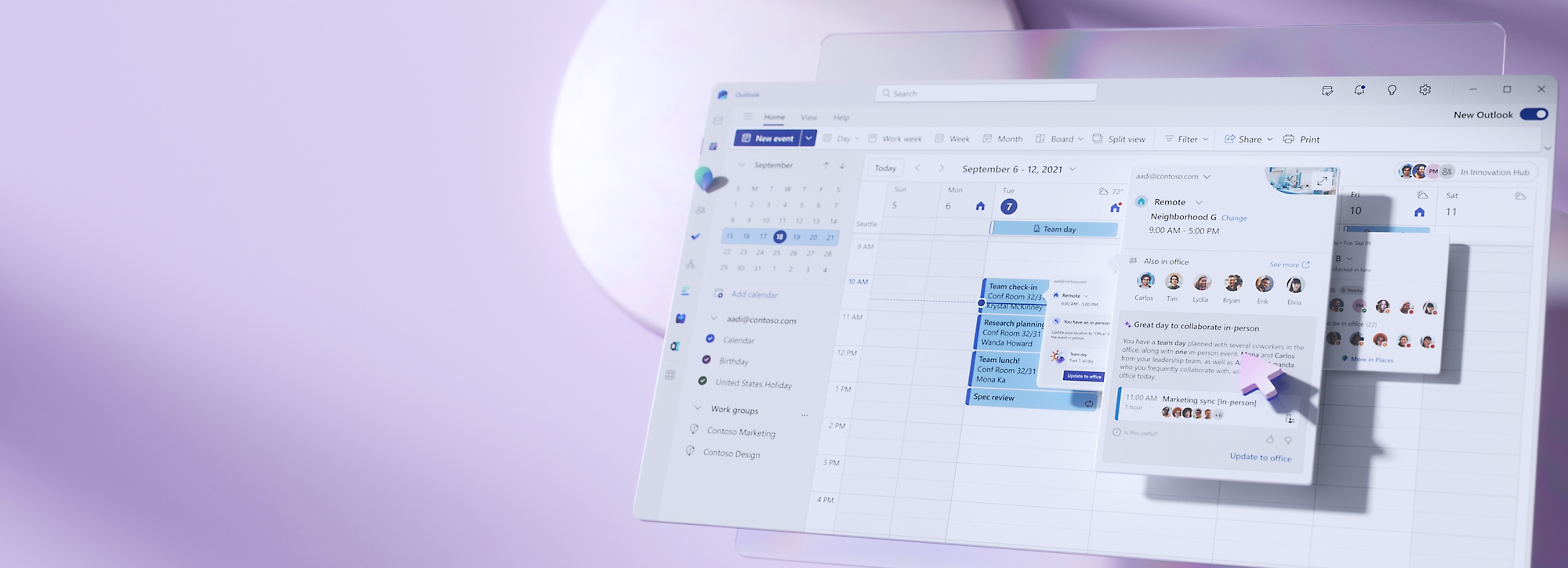
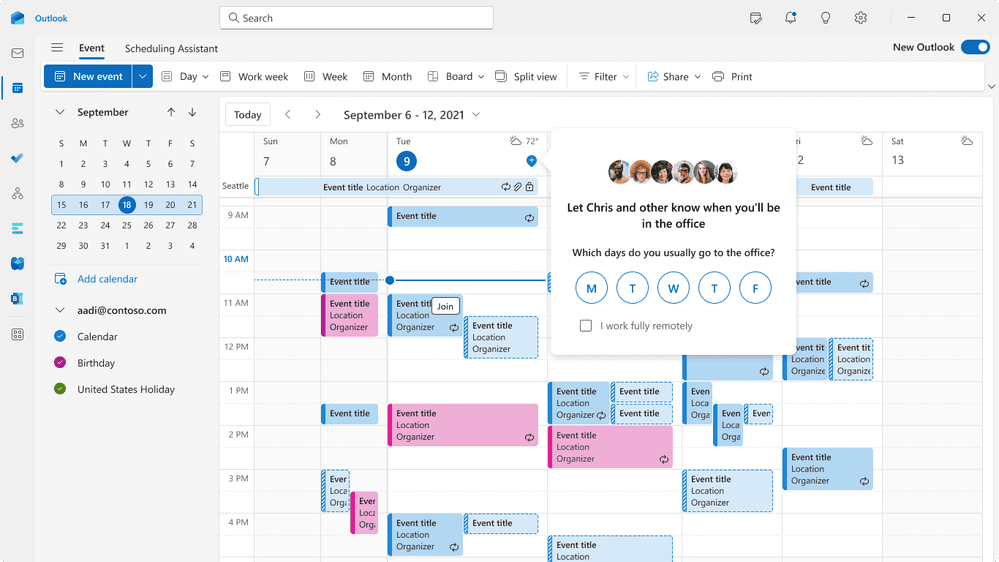
Employees can, for example, see when colleagues are planning to come into the office, find a suitable room or reserve a workspace. At the same time, organisations can gain greater insight into how their office environment is being used.
Microsoft Places therefore creates a digital connection between where people want to work and the physical spaces in which they actually collaborate.
What can you do with Microsoft Places?
Depending on your setup and licences, Microsoft Places can be used for a range of workplace functions, including:
Plan your working day
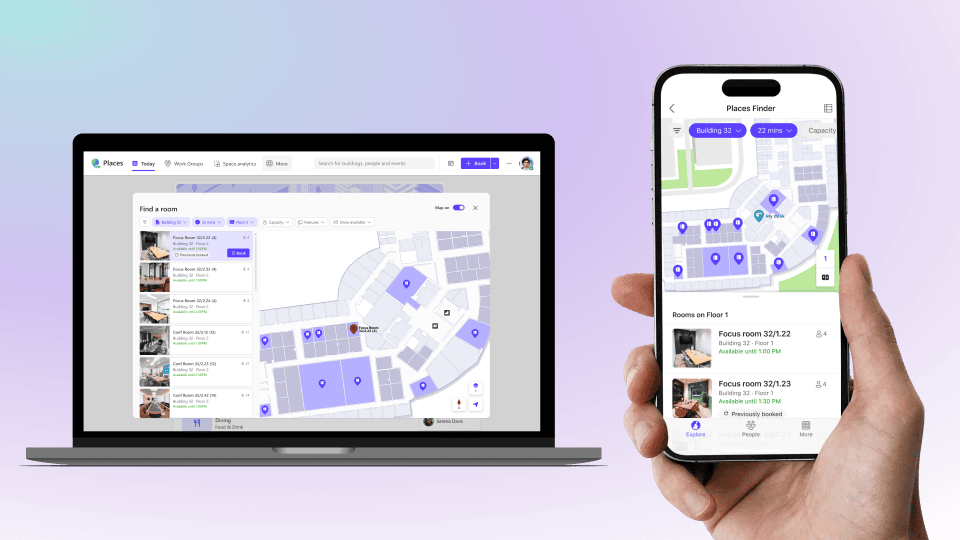
Find the right meeting room
Reserve a workspace
Make spaces easier to find
Gain insight into space utilisation
This means workplace management is no longer just about booking a room, but about the complete experience of a day in the office.
From Microsoft Places to the physical workplace
A digital workplace solution only works effectively when the information it provides matches what employees actually find when they arrive at the office.
If a room appears suitable for a hybrid meeting in Microsoft Places, it also needs to have the right cameras, microphones, displays and controls in practice. And when different types of spaces are available, employees need to understand in advance which room is best suited to what they want to do.
“Booking a room is one thing. But that room also needs to suit what you want to do there. By connecting Microsoft Places, Teams Rooms and the physical workplace, you can make hybrid working much easier.” Patrique Microsoft Office 365 Specialist
This is where Microsoft Places and the physical workplace come together. AVEX helps organisations connect these two worlds. We look at the design of workplaces and meeting rooms, Microsoft Teams Rooms, room booking, AV technology and the overall user experience.
Microsoft Places and Microsoft Teams Rooms
Microsoft Places becomes particularly valuable when the digital information about a room reflects what that space can actually offer.
Imagine an employee looking for a meeting room for six people with remote participants joining the meeting. Instead of simply checking which room is available, information about capacity and available facilities can help them select a space that is genuinely suitable.
In combinatie met goed ingerichte Microsoft Teams Rooms ontstaat zo een logischere route:
Plan – bepaal wanneer je naar kantoor komt en met wie je wilt samenwerken.
Vind – kies een beschikbare werkplek of vergaderruimte die past bij wat je wilt doen.
Werk samen – stap de ruimte binnen en start de meeting vanuit een herkenbare Teams Rooms-omgeving.
Technology can then fade into the background as much as possible. The user simply needs to know where to go and how to get started.
How AVEX can help
You do not need to consider Microsoft Places, the physical workplace and AV technology as separate elements. AVEX can help organisations translate their digital workplace strategy into an effective physical office environment.
- Assess
We map out your current working environment. What types of workplaces and meeting rooms do you have? How are they being used? Which Microsoft and AV solutions are already in place, and where are users experiencing challenges? - Design
We then look at how spaces, Microsoft Teams Rooms, room booking and other AV solutions can work together logically. This can include floor plans, room types and technical designs. - Implement and optimise
We implement the AV environment and ensure the physical spaces support your chosen workplace setup. After implementation, usage, management and further optimisation can also form part of the process.
For organisations looking to standardise this user experience across multiple rooms or locations, AVEX offers BRIX, a standardised meeting room solution. Instead of a collection of separate tools and spaces, you create a workplace in which software, physical spaces and AV technology reinforce one another.
How does Microsoft Places licensing work?
Microsoft Places licensing changed in 2026. From 1 April 2026, several features that were previously linked to Teams Premium became part of the core functionality or moved to a per-space licensing model.
This does not mean that every room within Microsoft Places requires a separate licence.
Many core features, such as work plans, workplace presence, Places Explorer, Places Finder and booking meeting rooms and shared workspaces, are available to users with supported Microsoft 365 or Teams licences.
Some functionality does require additional space licences. This includes:
- reserving individual desks;
- automatically releasing reserved rooms or desks when no one checks in;
- certain occupancy data within Places Analytics.
The licences you need therefore depend on the setup and functionality you want to use.
Which organisations can benefit from Microsoft Places?
Microsoft Places is particularly relevant when your office is no longer used in the same way every day.
For example, when employees work hybrid, teams are spread across multiple locations, flexible workspaces are used, or you want greater insight into how meeting rooms and office space are being used.
It becomes even more relevant if Microsoft Teams and Microsoft Teams Rooms are already widely used within your organisation. Microsoft Places can then add another layer: not only supporting how people collaborate digitally, but also helping them decide where they can work together most effectively.
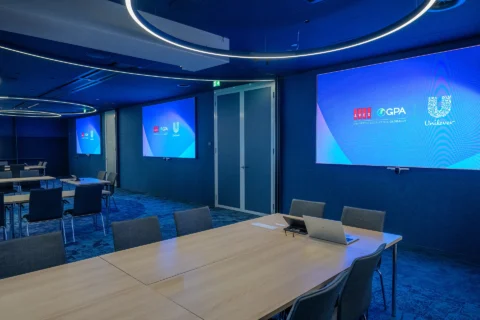
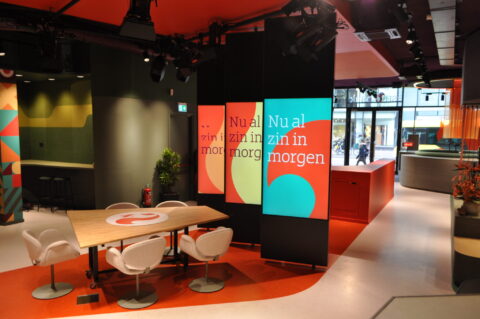
You can see what this kind of consistent user experience looks like in practice in the new workplace at Unilever Rotterdam.
Microsoft Places & modern workplaces
Connect the digital and physical workplace
Microsoft Places can help employees decide when to come into the office and which space best suits their working day. But the real user experience only comes together when the space they reserve actually supports what they need to do.
AVEX helps you approach Microsoft Places, Microsoft Teams Rooms and the physical workplace as one connected experience.

Patrique Petit
Microsoft Office 365 Specialist

Publication date
06 October 2026
Updated date
06 October 2026
Sector
All Sectors
Frequently asked questions about Microsoft Places
What is Microsoft Places?
What is the difference between Microsoft Places and Room Finder in Outlook?
Can I use Microsoft Places with Microsoft Teams Rooms?
Can I reserve workspaces with Microsoft Places?
Does every user need a Microsoft Places licence?
Does Microsoft Places work in Outlook and Teams?
Can Microsoft Places provide insight into space utilisation?
Can AVEX help with Microsoft Places?
Keep exploring